


Intro:
Starting a new business comes with many decisions, and building your website is one of the most important. Whether you’re launching a side hustle or going full-time, your website should clearly reflect who you are and what you offer. Let’s explore the types of pages you’ll need, followed by a list of tools and plugins that can help you run and grow your business online.
🗂️ Common Website Pages and What They’re For
Every website needs a solid foundation, and that starts with a few key pages. Here’s what you should consider including:
Home Page (or Landing Page):
This is the front door to your website. It should give a clear overview of what your business is about, who you serve, and direct visitors to take the next step (like contacting you or shopping).About Page:
People buy from people they trust. Use this page to share your story, experience, values, and photos of you or your team. This helps humanize your brand.Services or Products Page:
Describe what you offer in a clear and inviting way. Include pricing if you can, or guide people to request a quote.Contact Page:
Make it easy for visitors to get in touch with you. This should include a contact form, email address, phone number (if applicable), and maybe a map.Testimonials or Reviews Page:
Show off your happy clients! Real feedback builds trust and encourages new customers.FAQ Page:
This can reduce your time spent answering repetitive questions and helps your website rank better on Google.Blog or News Section:
Great for sharing tips, updates, and boosting SEO with regular content.Privacy Policy & Terms:
Especially if you collect user data or run an online store, these are essential for legal compliance and trust.
💡 Tip: Any topic or campaign can have its own page. You can even make temporary pages for events, specials, or popups.
📏 Each page should ideally have at least 300–500 words, some visuals, and one clear purpose or call to action. Avoid thin pages with just one or two lines.
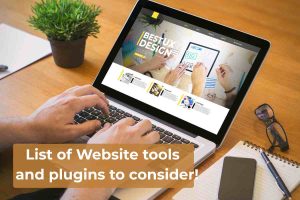
🔧 Useful Tools & Plugins for Small Business Websites
Once your pages are in place, plugins and tools can bring your site to life. Here’s a list of essentials you should consider:
Contact Form Plugin (e.g., WPForms, Ninja Forms):
Allows visitors to send you messages without exposing your email address.Quote or Booking Form (e.g., Forminator, Calendly):
Let clients request quotes or schedule appointments directly from your site.Pop-Up Offers (e.g., Popup Maker, Hustle):
Display special offers, announce sales, or capture email signups with stylish popups.Email Newsletter Sign-Up (e.g., Mailchimp, MailPoet):
Add a signup form and send out newsletters or updates to keep your audience engaged.Newsletter Publishing Tools (e.g., MailerLite, ConvertKit):
Helps you send professional-looking email campaigns and track who’s opening them.WhatsApp Button (e.g., Click to Chat):
Allow visitors to reach you instantly via WhatsApp. This builds trust and speeds up communication.Live Chat (e.g., Tidio, LiveChat):
Chat with site visitors in real-time and answer questions as they browse.Social Media Icons or Feeds:
Link directly to your Facebook, Instagram, or TikTok. You can even show your recent posts right on your site.Galleries & Sliders (e.g., Envira Gallery, Smart Slider):
Showcase your products, services, or projects in a clean, visual layout.Testimonials Plugin (e.g., Strong Testimonials):
Display client reviews beautifully, with photos and ratings if you wish.eCommerce Plugin (e.g., WooCommerce):
If you sell products or services, this turns your site into a full online store.SEO Plugin (e.g., Rank Math, Yoast SEO):
Improve how search engines see your site, and help you show up in Google results.Security Plugin (e.g., Wordfence):
Protect your site from hackers, malware, and bots.Backup Plugin (e.g., UpdraftPlus):
Keep regular backups of your site in case something goes wrong.Cookie Consent Notice:
Let visitors know your site uses cookies — required in many countries for legal reasons.Google Analytics Plugin (e.g., Site Kit by Google):
See who visits your site, which pages they read, and how they found you.
📌 Final Thoughts
Think of your website as your virtual office — it needs structure, tools, and personality. Don’t worry about doing everything at once. Start with the basics, then build as your business grows.